
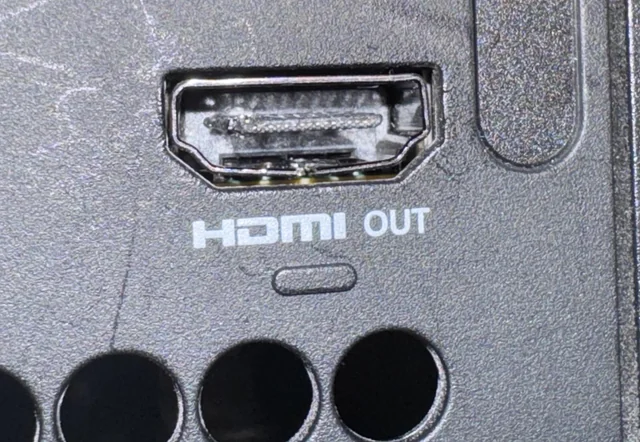
If your Xbox shows “No Signal”, you might be wondering:
👉 Can I fix the HDMI port myself and save money?
The short answer is: technically yes — but in most cases, you shouldn’t.
In this guide, we’ll explain:
- What HDMI repair actually involves
- When DIY might work
- Why it often makes things worse
🔍 What Does HDMI Port Repair Actually Require?
Replacing an Xbox HDMI port is not like swapping a cable or a battery.
It involves:
- Removing the damaged port from the motherboard
- Cleaning solder pads
- Installing a new port precisely
- Ensuring all pins are properly connected
Tools required:
- Hot air rework station
- Microscope
- Fine soldering equipment
- Flux and professional-grade materials
👉 This is microsoldering, not a basic repair
⚠️ Why DIY HDMI Repair Usually Fails
We see this all the time — consoles that were already attempted and made worse.
Common DIY mistakes:
❌ Ripping pads off the motherboard
Once pads are gone:
- Repair becomes much harder
- Requires trace reconstruction
❌ Overheating the board
Too much heat can:
- Warp the board
- Damage nearby components
❌ Misaligned HDMI port
Even slight misalignment:
- Causes no signal
- Leads to intermittent issues
❌ Bridging pins (short circuits)
Tiny solder bridges can:
- Prevent signal transmission
- Damage HDMI circuitry
👉 In many cases, a simple repair turns into a complex board-level job
🧠 When DIY Might Be Possible
There are very limited situations where DIY is safe:
You can try:
- Replacing HDMI cable
- Cleaning the port (carefully)
- Checking for visible debris
But NOT:
- Replacing the port
- Heating the motherboard
- Bending pins back
👉 These require professional tools and experience
💰 Is DIY Worth It?
At first glance, DIY seems cheaper.
But in reality:
- Failed DIY → higher repair cost
- Additional damage → longer turnaround
- Risk of permanent failure
👉 Learn actual repair pricing here:
https://zapfixers.com/xbox-hdmi-repair-cost-is-it-worth-it/
🛠️ Professional HDMI Repair vs DIY
DIY:
- High risk
- No proper tools
- Low success rate
Professional repair:
- Proper equipment
- Board-level diagnostics
- High success rate
👉 Start professional repair here:
https://zapfixers.com/services/xbox-hdmi-repair/
🎮 Model-Specific Repair Services
If you have a newer console, repairs require even more precision:
👉 Xbox Series X HDMI repair:
https://zapfixers.com/services/xbox-series-x-hdmi-repair/
👉 Xbox Series S HDMI repair:
https://zapfixers.com/services/xbox-series-s-hdmi-repair/
🔬 What Professionals Actually Fix
At ZapFixers, we go beyond basic port replacement.
We repair:
- HDMI port damage
- Ripped pads
- Broken motherboard traces
- HDMI retimer chip issues
👉 This is why professional repair is more reliable
⚠️ Real Example (From Experience)
Many customers send us consoles after DIY attempts.
Typical situation:
- Original issue → simple port replacement
- After DIY → missing pads, damaged traces
👉 Repair becomes more expensive and complex
💡 Final Verdict: Should You Fix It Yourself?
👉 In most cases: NO
DIY is only safe for:
- Cable replacement
- Basic inspection
For everything else:
- HDMI port replacement
- No signal issues
- Internal faults
👉 You should go with professional repair
👉 Need Help?
If your Xbox HDMI port is not working, we’re here to help.
✅ Nationwide mail-in service
✅ Board-level repair
✅ High success rate
👉 Start your repair today:
https://zapfixers.com/services/xbox-hdmi-repair/
