


Professional GPU & Graphics Card Repair Service
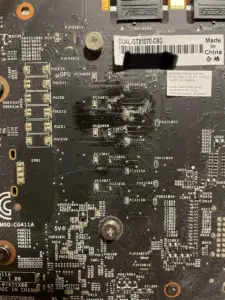
We provide professional GPU repair and graphics card repair services for all major brands including NVIDIA and AMD. Whether your graphics card has no signal, overheating issues, artifacts, or power failures, our board-level repair specialists can diagnose and fix the problem.
At ZapFixers, we know how frustrating a failing graphics card can be. Whether you’re a hardcore gamer, a 3D artist, or a AI engineer, your GPU is the heart of your system—and when it stops working, it can feel like everything grinds to a halt.
We’ve seen it all – customers bringing in GPUs with melted RTX 4090 power connectors, flickering displays, or overheating issues that crash their system mid-game. One of our technicians recently worked on a high-end RTX 3090 that shut down every time the user launched a game. After careful testing, we found burnt VRMs – a common issue with high-power GPUs. A precise micro-soldering repair and a thermal pad upgrade later, the card was running cooler than ever.
That’s what we do at ZapFixers—we diagnose, repair, and revive GPUs that others might write off as dead. Our mail-in service makes it easy: just send us your graphics card, and we’ll take care of the rest. We work with NVIDIA, AMD, ASUS, MSI, EVGA, Gigabyte, and more, handling everything from GPU overheating and fan failures to advanced PCB repairs.
Common GPU Issues We Fix
At ZapFixers, we specialize in diagnosing and repairing a wide range of GPU problems, from minor performance issues to major hardware failures. Whether your RTX 4090 power connector has melted, your GPU is overheating, or you’re dealing with screen artifacts, we’ve got you covered. Here are some of the most common GPU issues we fix:
🔧 Overheating & Thermal Issues
- GPU running too hot, causing system shutdowns or performance drops
- Fan failures, excessive noise, or broken bearings
- Old or degraded thermal paste and thermal pad replacements
- VRM overheating, leading to unstable performance
🎮 Visual & Display Problems
- Screen artifacting, flickering, or distorted colors
- No display output, black screen, or intermittent signal loss
- Damaged HDMI/DisplayPort ports or loose connections
- GPU not being detected by the system
🔩 Physical Damage & Component Repairs
- PCB damage and trace repair due to physical impact or improper handling
- Burnt capacitors, resistors, or VRMs affecting power distribution
- Water or liquid damage repair, including corrosion cleaning and board restoration
🖥️ Software & Driver Issues
- Driver conflicts causing stuttering, crashes, or instability
- BIOS recovery or custom BIOS flashing for performance tuning
- Mining GPU reconditioning for gaming use
⚡ Power & Connection Issues
-
- RTX 4090 melted power connector repair and replacement
- Broken PCIe connectors or poor power delivery
- Power surge damage affecting GPU components
- Faulty capacitors, MOSFETs, or voltage regulation modules (VRMs)
💻 Performance & Stability Problems
- Frequent crashes, freezes, or Blue Screen of Death (BSOD) errors
- Underperforming GPU or unexpected thermal throttling
- Corrupted GPU BIOS requiring a firmware reflash
- Memory errors affecting VRAM stability
🌀 Fan & Cooling System Repairs
-
-
- GPU fan replacements and bearing repairs
- Heatsink reattachment and cleaning for optimal airflow
- Liquid cooling block issues, including pump and coolant flow problems
-
If you’re experiencing any of these issues, don’t wait—send your GPU to ZapFixers for professional repair!
Why Choose ZapFixers for Your GPU Repair?
✅ Experienced Technicians – Specializing in high-performance GPU repairs.
✅ Mail-In Convenience – No need to search for a local shop—just ship it to us!
✅ Advanced Repairs – We fix RTX 4090 melted connectors, PCB damage, VRM failures, and more.
✅ 60-Day Warranty – We stand by our repairs with a solid guarantee.
✅ Thorough Testing – Every repaired GPU undergoes stress testing before being shipped back.
Advanced Graphics Card Repair Services
Graphics card repair involves diagnosing and fixing hardware issues at the component level. Unlike basic PC repair shops, we specialize in microsoldering and advanced GPU diagnostics, allowing us to repair problems that others cannot.
We repair:
✅ Faulty VRMs and MOSFETs
✅ Burned or melted power connectors (12VHPWR)
✅ PCB trace damages
✅ No power / no display issues
✅ Memory-related issues
Common Graphics Card Problems We Fix
🔧 No Signal / Black Screen
Your GPU powers on but shows no display. This can be caused by VRM failure, memory issues, or GPU core faults.
🔧 Overheating & Shutdowns
High temperatures due to degraded thermal paste or damaged components can cause crashes and instability.
🔧 Artifacts & Crashes
Visual glitches, freezing, or driver crashes often indicate memory problems or power instability.
🔧 Burned Power Connectors
We replace damaged connectors and repair underlying power delivery issues.
🔧 Burned Power Connectors
A common issue caused by hardware faults, not just drivers.
Can a Graphics Card Be Repaired?
Yes — most graphics cards can be repaired depending on the issue.
✅ Repairable:
- Power delivery issues (VRM, MOSFETs)
- Damaged connectors
- Memory chip failures
- PCB damage (not always)
- Corrupted BIOS
❌ Not repairable:
- Dead GPU core
- Internal memory controller failure
- GPU core has a short circle
We perform full diagnostics to determine if your GPU repair is possible before proceeding.
Our GPU Repair Process
- Diagnostics
We analyze power rails, memory, and GPU functionality. - Board-Level Repair
Using microsoldering, we replace faulty components. - Stress Testing
We test under heavy load (FurMark, real-world scenarios). - Quality Assurance
Ensuring stability before shipping back.
Graphics Card Repair Cost
The cost depends on the issue:
- Connector replacement: ~$200
- Standard repairs: $180–$400
- Diagnostics (if not repairable): ~$75
Repairing a graphics card is often significantly cheaper than replacing it.
How Our Mail-In GPU Repair Works
Step 1: Request a Repair & Ship Your GPU
-
-
- Fill out our online repair form with details about your GPU issue.
- Carefully package your graphics card to prevent shipping damage.
- Ship it to our repair center using your preferred carrier.
-
🔹 Pro Tip: Use anti-static bags and bubble wrap for extra protection.
🛠️ Step 2: Diagnosis & Repair
-
-
- Our expert technicians will inspect and diagnose the issue upon arrival.
- We’ll provide a detailed repair estimate before proceeding.
- Once approved, we’ll perform high-quality repairs, such as:
✅ RTX 4090 melted connector repair
✅ Overheating fixes & thermal upgrades
✅ Memory reballing
✅ Component-level PCB repairs
-
🎮 Step 3: Testing & Quality Assurance
-
-
- After repairs, we run extensive stress tests to ensure stability.
- Your GPU is tested in real-world gaming and benchmark scenarios.
- We check for artifacting, overheating, and power stability.
-
🚚 Step 4: Secure Return Shipping
-
-
- Once your GPU passes all tests, we safely pack and ship it back to you.
- You’ll receive tracking details so you know when to expect your repaired GPU.
-
🔒 Warranty & Support
-
-
- All repairs come with a 60-day warranty for peace of mind.
- Need help after your repair? Our support team is ready to assist.
-
👉 Tip: Use the original GPU box, then place it inside a larger box with proper cushioning (foam, bubble wrap, or other insulation) to prevent movement during shipping. Adding insurance is also recommended for extra protection.
Frequently Asked Questions (FAQ) – Graphics Card Repair Service
What types of graphics card issues do you repair?
- No display / black screen
- Overheating and thermal issues
- Fan failures and cooling system problems
- HDMI and DisplayPort connector damage
- Power and voltage regulation failures
- Memory (VRAM) and artifacting issues
- BIOS corruption and firmware failures
- Component-level repairs (MOSFETs, capacitors, resistors, etc.)
Do you repair all brands of graphics cards?
Yes! We repair NVIDIA (GeForce, RTX, Quadro, Tesla), AMD (Radeon, RX, FirePro), and Intel Arc graphics cards.
How much does a graphics card repair cost?
Our repair services start at $199, but the final cost depends on the complexity of the issue. We will diagnose your GPU and provide a free repair estimate before proceeding.
Do you offer a warranty on repairs?
Yes, we provide a 60-day guarantee on all graphics card repairs. If the same issue reoccurs within this period, we’ll fix it at no additional cost.
How long does a repair take?
The standard repair time is 3–4 weeks, depending on our workload. However, we also offer expedited service options for urgent repairs.
Do you offer same-day or emergency GPU repair?
Yes! If you need your GPU repaired as quickly as possible, we offer expedited repair services at an additional cost. Contact us for availability.
How do I know if my graphics card is repairable?
If you’re experiencing issues such as no display, crashes, or artifacts, we recommend sending your GPU for diagnostics. If a repair isn’t possible, we’ll let you know before proceeding.
Is there a fee for diagnostics?
We offer free diagnostics if you choose to proceed with the repair. However, if the card has water damage or prior repair attempts, a $75 bench fee applies due to the extra time and complexity involved.
What if my graphics card cannot be repaired?
If a repair is not possible or not cost-effective, we will return your card or offer alternative solutions. No repair means no charge (except for return shipping and any applicable bench fees).
Will my GPU retain its original performance after the repair?
Yes! Our repair process ensures that your graphics card will function as intended without performance loss. We use high-quality components and thorough testing.
Do you offer mail-in repair services?
Yes! We accept mail-in repairs from anywhere in the U.S. Just fill out our online repair request form, ship your GPU to us, and we’ll handle the rest.
How should I package my graphics card for shipping?
To avoid damage, use anti-static bags, bubble wrap, and a sturdy box. We can provide detailed packing instructions if needed.
How do I pay for my repair?
We accept credit cards, PayPal, Zelle, Bitcoin and other secure payment methods. Payment is due only after the repair is completed.
Can you replace my GPU’s thermal paste or thermal pads?
Absolutely! We offer thermal repasting and pad replacement using high-quality materials for better cooling and longevity.
Can you replace my GPU’s thermal paste or thermal pads?
Absolutely! We offer thermal repasting and pad replacement using high-quality materials for better cooling and longevity.
Can you replace my GPU’s thermal paste or thermal pads?
Absolutely! We offer thermal repasting and pad replacement using high-quality materials for better cooling and longevity.
Do you offer cryptocurrency mining GPU repairs?
Yes! We repair mining GPUs, but we do not provide warranty for GPUs that have physical damage due to extreme overuse or burnt PCBs.
Do you offer local drop-off and pickup?
Yes! If you’re in Hollywood, FL, or the surrounding areas, you can drop off and pick up your GPU at our repair center.
Can you replace my GPU’s thermal paste or thermal pads?
Absolutely! We offer thermal repasting and pad replacement using high-quality materials for better cooling and longevity.
Can you repair water-damaged graphics cards?
In some cases, yes! If your GPU has been exposed to liquid, send it in as soon as possible to increase the chances of a successful repair.
Do you overclock GPUs or modify BIOS?
No, we do not offer overclocking services, but we can help with BIOS restoration if your card is bricked.
Can you repair water-damaged graphics cards?
In some cases, yes! If your GPU has been exposed to liquid, send it in as soon as possible to increase the chances of a successful repair.
Do you sell refurbished or replacement GPUs?
We primarily focus on repairs, but we occasionally have refurbished GPUs for sale. Contact us for availability.
How do I get started with my GPU repair?
Simply contact us or fill out our repair request form, and we’ll guide you through the next steps!
Our Graphics Card Repair Tools & Technology
At ZapFixers, we use advanced tools and professional equipment to perform accurate graphics card repair at the component level. This allows us to diagnose and fix issues that most standard repair shops cannot handle.
🔍 Advanced Diagnostics
We use professional diagnostic software to test your GPU under load, monitor temperatures, and analyze voltage behavior. This helps us quickly identify issues like power instability, memory errors, or overheating.
🌡️ Thermal Imaging
Overheating is one of the most common GPU problems. With thermal cameras, we can detect hotspots and failing components that are not visible during standard inspection.
🔬 Microscope Inspection
Many GPU failures involve tiny solder cracks or damaged traces. Using high-magnification microscopes, we inspect the board to find issues that are invisible to the naked eye.
🛠️ Precision Tools & Disassembly
We carefully disassemble graphics cards using professional tools to avoid damaging sensitive components during the repair process.
🔧 Soldering & Board-Level Repair
Our lab is equipped with advanced soldering stations and rework tools, allowing us to replace faulty components such as MOSFETs, capacitors, and connectors with precision.
⚡ ESD-Safe Environment
All repairs are performed in an electrostatic-safe workspace to protect your GPU from static damage during handling.
📊 Electrical Testing
We use voltage meters and component testers to measure power rails, detect shorts, and verify proper operation after repair.
How to Extend the Life of Your Graphics Card
In addition to professional GPU repair and graphics card repair, proper maintenance can significantly improve performance and lifespan.
🧹 Keep Your GPU Clean
Dust buildup can block airflow and cause overheating. Clean your graphics card regularly using compressed air to maintain proper cooling.
🌡️ Monitor Temperatures
Use monitoring software to track GPU temperatures. High temperatures can lead to crashes, reduced performance, and hardware damage.
🔄 Update Drivers
Keeping your GPU drivers up to date ensures better performance, improved stability, and compatibility with modern applications.
⚙️ Optimize Settings
Lowering graphics settings in demanding applications can reduce stress on your GPU and improve long-term reliability.
🧪 Replace Thermal Paste
Over time, thermal paste dries out and reduces cooling efficiency. Replacing it helps maintain proper heat transfer and prevents overheating.
📈 Monitor Performance
Use system monitoring tools to track usage, temperature, and performance. This helps detect issues early before they become serious.
⚠️ Avoid Extreme Overclocking
Overclocking increases stress on your GPU and can shorten its lifespan. If stability is important, avoid aggressive overclock settings.